
Scan
Gallery Checkup splits your library into bundles - screenshots, similar photos, long videos, blurry shots, RAW/JPEG pairs, social saves, Live Photos, bursts, and more. You're judging context, not a wall of thumbnails.
Gallery Checkup scans your library on device and sorts it into bundles: screenshots, long videos, duplicates. You review one photo at a time, and nothing is deleted until you approve it.
30 days to change your mind, on every removal.
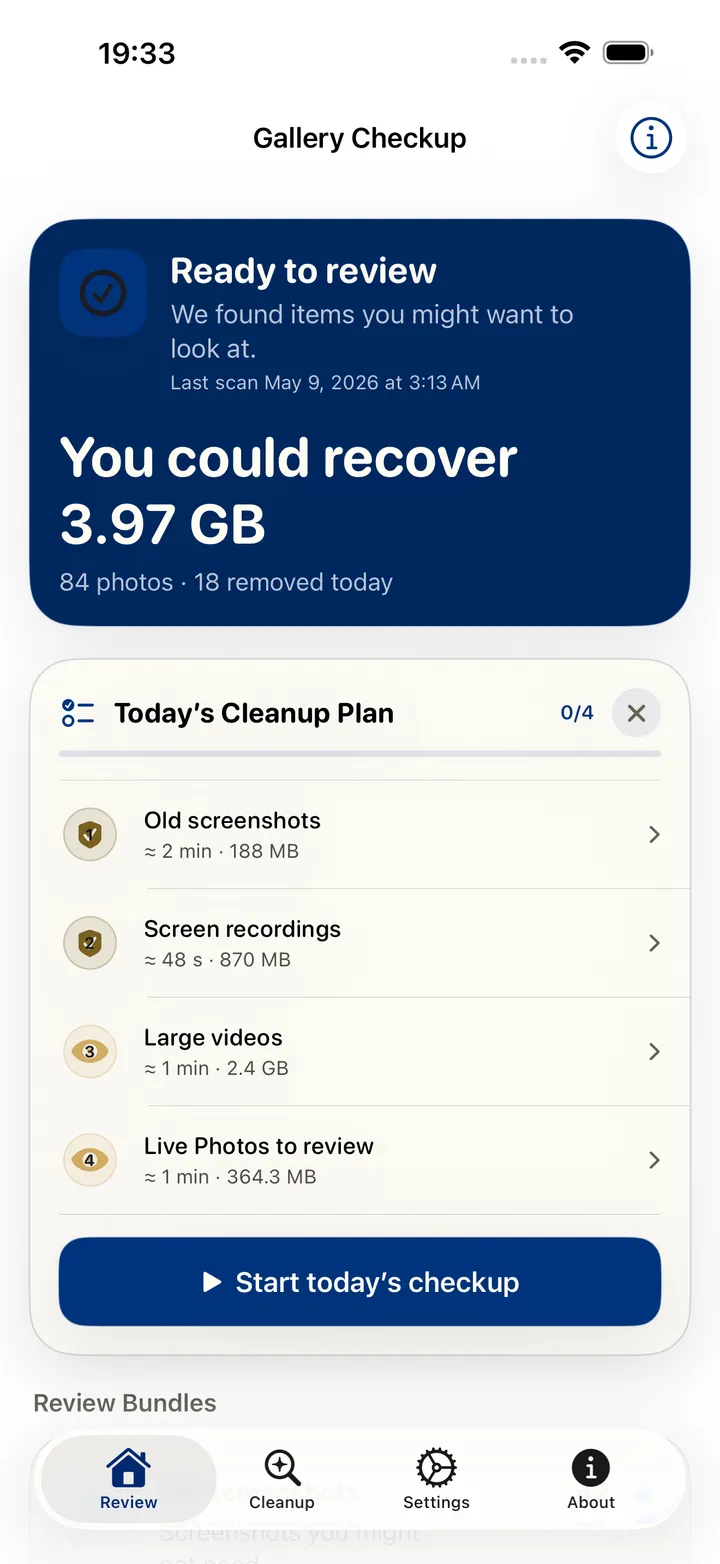
Reclaimable now
3.97 GB
84 photos across 4 bundles
Old screenshot
A screenshot from two years ago that you have not opened since.
Screenshots older than 12 months that were never favourited, edited, or shared are grouped together. The date, the file type, and the lack of later activity are the only signals used, and all three were read on this device.
Favorites and Protected People & Pets never enter the review.
Try it here
The same loop as the app: a plain-language reason, then Keep, Remove, or Decide later.
Nothing is deleted on the spot. Removed photos wait 30 days in Recently Deleted, so you can always change your mind.
How it works
Gallery Checkup splits your library into bundles - screenshots, similar photos, long videos, blurry shots, RAW/JPEG pairs, social saves, Live Photos, bursts, and more. You're judging context, not a wall of thumbnails.
Type “old screenshots” or “biggest videos” and the assistant pulls up the matching bundle. With Apple Intelligence on your device, the summaries get sharper.
You approve every deletion, bundle by bundle. Removed items sit in Recently Deleted for 30 days, so nothing is gone for good until you empty that too.
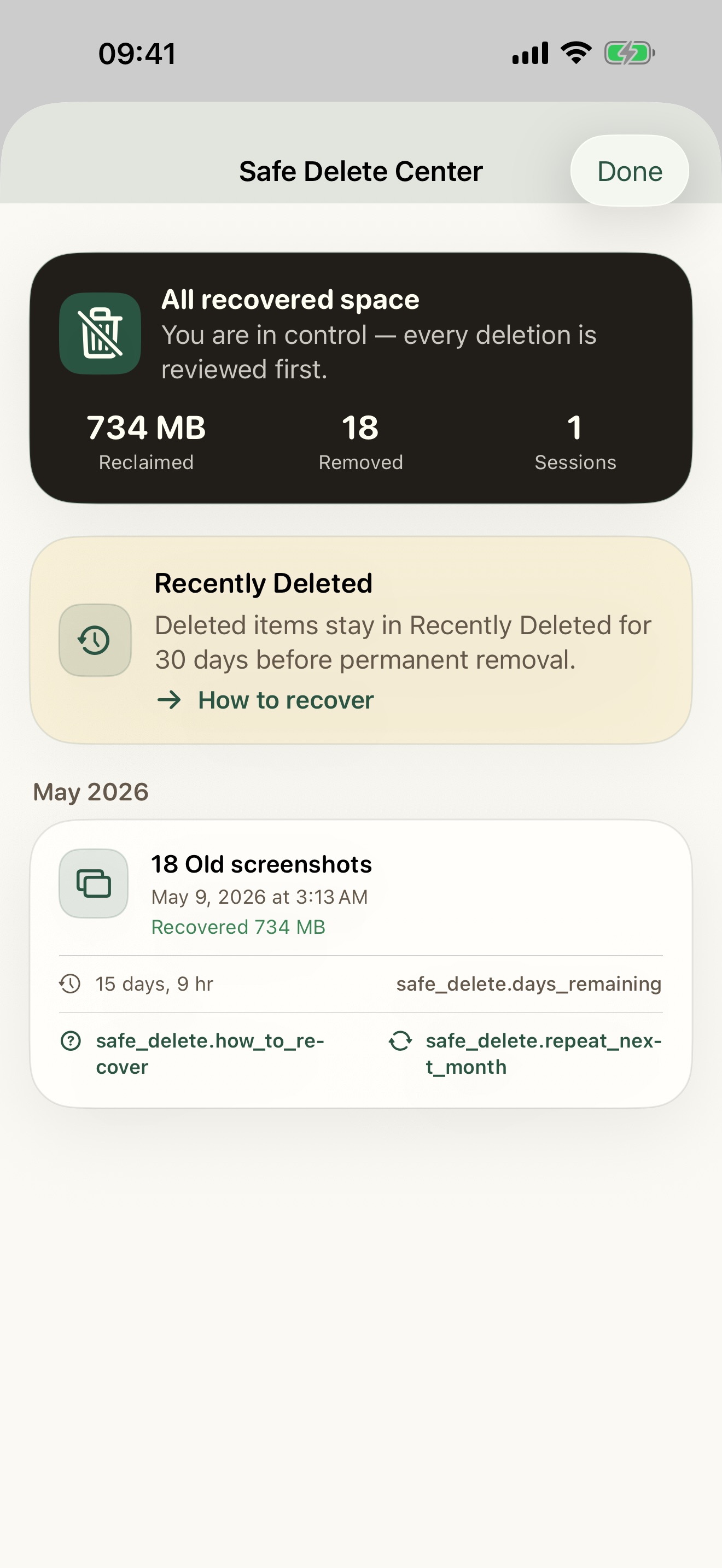 30 days to recover
 Safe by design
Every removal passes three gates before it is permanent, and the last one lasts a month.
Reviewed before anything is removed
Removed photos wait 30 days in Recently Deleted
A step-by-step guide brings them back
Review assistant
Pick a question and watch the bundles re-rank, each with its item count and size. The assistant only searches what is already scanned on your device: no new scan, no upload.
With Apple Intelligence on the device, the summaries get sharper. Without it, the ranking still works, because it is reading the scan you already ran.
Bar length shows relative size, not a match score.
Receipt detected
The total, date, and merchant can be saved as a note before the screenshot goes.
Save before delete
Some screenshots are holding something you still need. Gallery Checkup offers to keep the useful part before the image goes.
Protected Memories
Protect these from ever appearing in cleanup.
Access
Pick any bundle and review it completely at no cost. This website will never ask you for a login or a credit card.
One free bundle · unlock the rest with a subscription or a one-time Lifetime purchase, inside the app.
Privacy
No account to use the app or this website.
Review runs on your iPhone or iPad. Nothing goes to the cloud.
Protected People & Pets keeps the ones you love out of the suggestions.
Scan coverage reports show what got checked and what didn’t.
No. Every scan runs on your iPhone or iPad. Nothing about your photos leaves the device.
No. Not in the app, not on the website.
Yes. Pick any one bundle and review it completely, free. To unlock the rest you can subscribe monthly or yearly, or buy Lifetime once. All three unlock the same thing, and everything is bought inside the app.
It moves to Recently Deleted in Photos and waits there for 30 days before it is permanently removed. You can recover any of it during that window, and the app includes a step-by-step guide showing how.
English and Brazilian Portuguese. More are coming.